
Tell Us What You Think: In-App Feedback Is Now Live
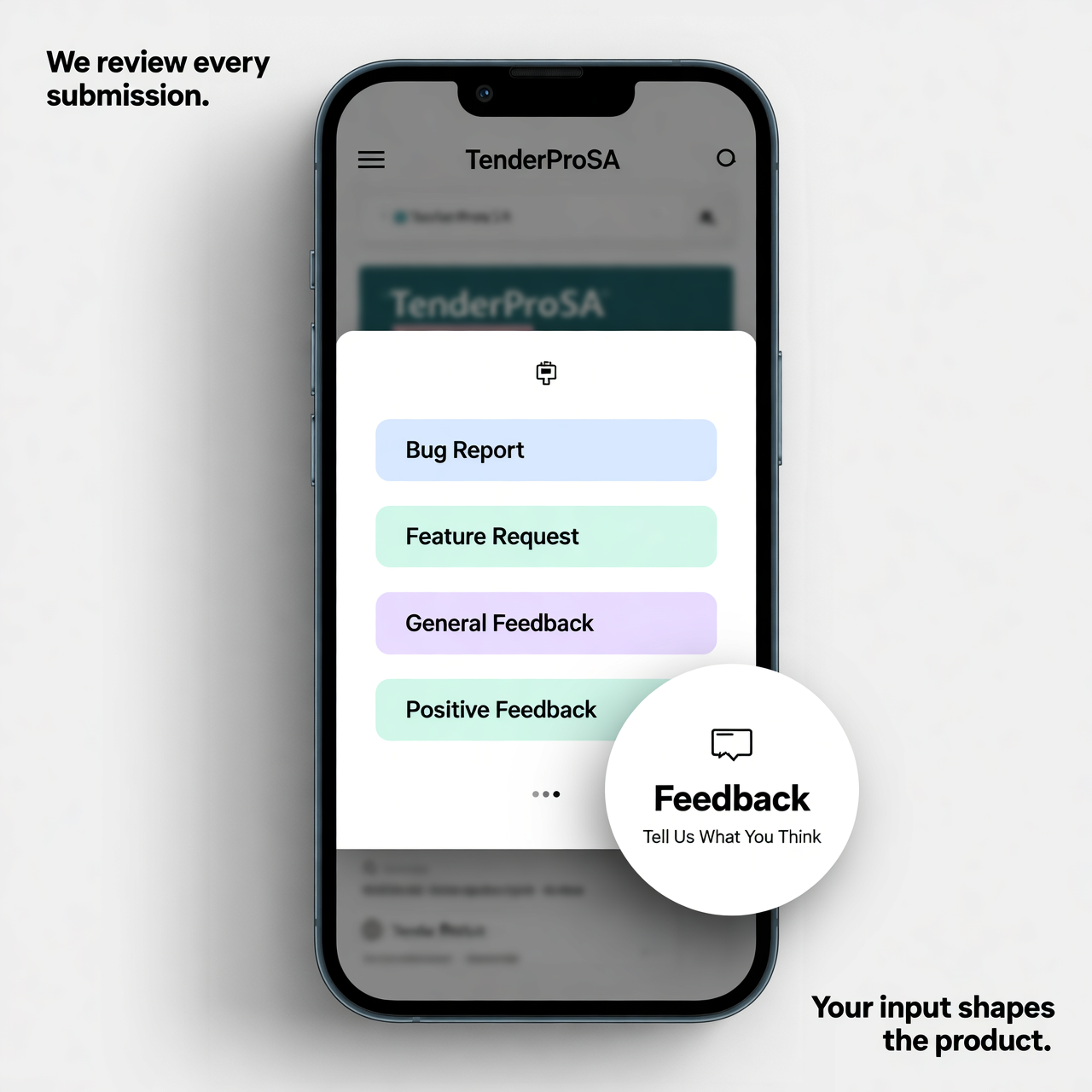
We've launched the in-app feedback module, and we'd love to hear from you. A feedback button is now available throughout the platform — tap it, pick a category, and send your message. That's it. No emails, no support tickets, no switching context.
Why We Built It
The best ideas for improving TenderProSA come from the people using it every day. We've always had email and a support channel, but we wanted something lighter.
Something you could use in the moment when you notice an issue or think of an improvement. The feedback button is designed to have zero friction between having a thought and sending it.
What You Can Submit
Feedback is categorised into four types:
- Bug Report — something isn't working as expected
- Feature Request — something you'd like to see added
- General Feedback — anything else you want to share
- Positive Feedback — let us know what's working well
Every submission goes directly to the product team.
What Happens With Your Feedback
We review every submission. Common patterns across multiple users directly influence what gets prioritised in development.
If your feature request gets enough traction, it moves up the roadmap. If you report a bug, it goes into the queue for investigation.
Your input shapes the product — more directly than most people expect.
Where to Find It
Look for the feedback button in the bottom-right corner of the screen on web, and under the Help menu on Android. It's visible on every page, so you can send a note without ever leaving what you were working on.